

You know the feeling: Month after month, you pay the software bill for tools like PassageQuest. Maybe it started reasonable, but now you’re staring down per-case fees, upgrades locked behind higher tiers, or the quiet dread of your data living in someone else’s cloud. The funeral home business is built on trust and legacy, so why is your management platform something you rent, not own?
If you’re searching for PassageQuest alternatives, you’re not alone. Funeral directors are waking up to subscription fatigue, hidden add-ons, and the nagging sense their tech stack isn’t really theirs. The best picks right now? Osiris for transparent pricing and flexibility, FuneralHQ for all-in-one management, and FrontRunner for its integrated website features. But here’s the real answer: every SaaS alternative is still rented. The only way out is to own the system outright, yes, with a custom Devaims build, you can.
Let’s break down the honest math and the fine print. Here’s what to know about the top PassageQuest alternatives in 2026, and how to finally take control.
Why funeral homes look for PassageQuest alternatives
Funeral homes are unique businesses, often family-run and deeply rooted in their communities. The need for stability, privacy, and long-term continuity is paramount. Yet, most software options, including PassageQuest, follow the SaaS rental model. Here’s why more directors are actively seeking alternatives:
Endless monthly fees: SaaS tools rarely cost what they advertise. Per-case or per-user fees stack up, and annual increases are common. Many funeral homes start with an affordable monthly plan, but as their case volume or staff grows, so do the bills. You may also find yourself paying for features you don’t use simply because they’re bundled into a higher tier.
Feature lock-in: It’s common to discover that crucial capabilities, such as custom forms, advanced reporting, or integration with state registries, are reserved for premium plans. This tiered approach means you pay more as your business grows or as your needs become more sophisticated. If your funeral home expands, you may be forced into a higher fee bracket just to access what you need.
No ownership, no exit: With SaaS, you’re essentially renting access to your own process and data. If you choose to leave, exporting your data can be complicated, incomplete, or costly. Some platforms limit what can be exported or provide data in a format that’s hard to migrate. This creates vendor lock-in and makes switching a daunting task.
Rigid contracts and surprise add-ons: Although many vendors advertise “cancel anytime,” some require annual commitments, charge onboarding or setup fees, or add costs for integrations, support, or additional storage. These hidden or less-visible fees can add up, especially if you need to scale quickly or integrate third-party services.
Scaling pain: As your case volume climbs, so do your costs. What started at $99/month can quietly balloon to thousands a year, especially if you add users, computers, or increase your case load. For funeral homes with seasonal fluctuations or plans to grow, this model can become unsustainable over time.
Quick comparison of the best PassageQuest alternatives
| Tool | Best for | Starting price | Per-case or user fees? |
|---|---|---|---|
| Osiris | Flexible, transparent pricing | $65/mo (Lite), $135/mo (Standard) | Yes, per computer |
| FuneralHQ | All-in-one management | $99/mo | No per-case; by company |
| Funeral Diary | Simple, per-user pricing | £20/user/mo | Yes, per user |
| FrontRunner Professional | Website & management suite | Contact for quote | Unclear |
| FDMS | Legacy users | Contact for quote | Unclear |
| FuneralBuddy | Per-case pricing | $99/mo + $18/case | Yes, per case |
| CRäKN | Workflow automation | Contact for quote | Unclear |
| FuneralTech | Digital presence | Contact for quote | Unclear |
| Devaims (custom build) | Full ownership | One-time build, you own it | Never |
Always confirm current pricing before you decide, rates change and hidden fees add up fast. Compare not just the monthly rate, but also the cost of adding users, computers, or cases, as well as potential migration fees and support charges.
The 10 best PassageQuest alternatives
1. Osiris (Flexible, transparent pricing)
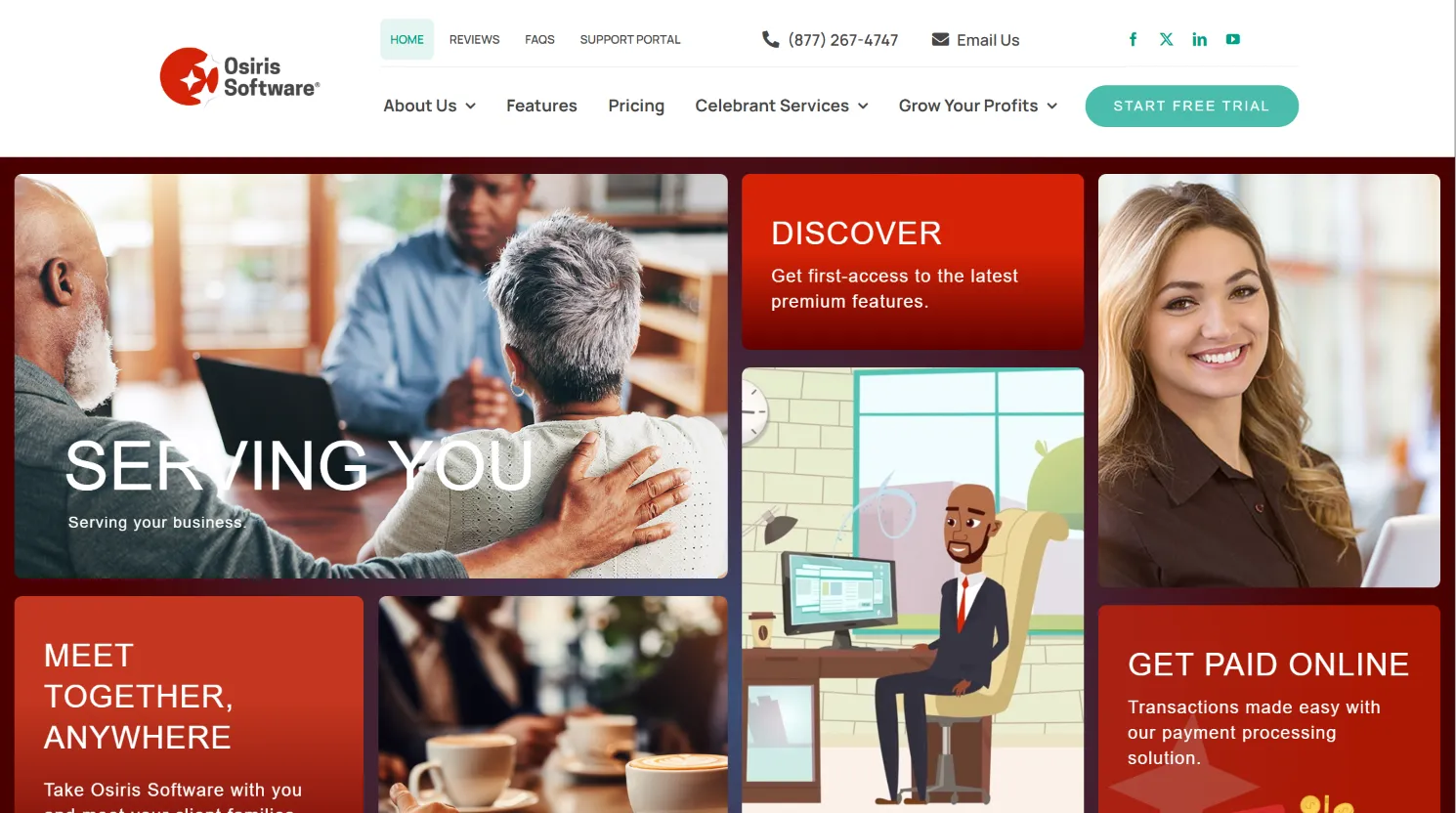
Osiris stands out for its clear, published pricing and its month-to-month flexibility. Built specifically for funeral homes, it covers core needs like case management, document handling, and compliance, with the option to scale up features as you grow.
Key features: Osiris includes case tracking from first call through disposition, integrated forms, digital signature support, and customizable reporting. There is support for preneed tracking and merchandise inventory. The interface is modern, with cloud-based access and secure backups. Integrations include QuickBooks for accounting, some state death registration systems (varies by state), and basic website sync for obituaries.
Integrations: Osiris supports QuickBooks, select accounting packages, and some state EDRS (Electronic Death Registration Systems). However, if your state registry is not supported, you may have to enter some data manually or request a custom integration (which may not be possible on a SaaS plan).
Migration friction: Osiris offers assistance with importing data from legacy systems, but the process depends on what you can export from PassageQuest. Expect some manual work for forms, documents, and attachments. Support is responsive, but full migration may require a paid onboarding package if your data is complex.
Concrete use cases: Osiris is a fit for small to medium funeral homes that want predictable pricing and don’t want to lock into annual contracts. It’s especially attractive for firms moving off legacy desktop software or those managing fewer than 100 cases per year, thanks to its “Lite” plan.
Honest trade-offs: Per-computer pricing means adding new workstations increases your bill, which can sting for multi-location firms or those with floating staff. Some advanced features, like custom forms or deep integrations, require higher-priced plans or may not be possible at all. You never own the system, so you’re always subject to future changes in features or pricing.
- Transparent, clear pricing
- No contract lock-in, cancel anytime
- Solid core features and growing integrations
2. FuneralHQ (All-in-one management)
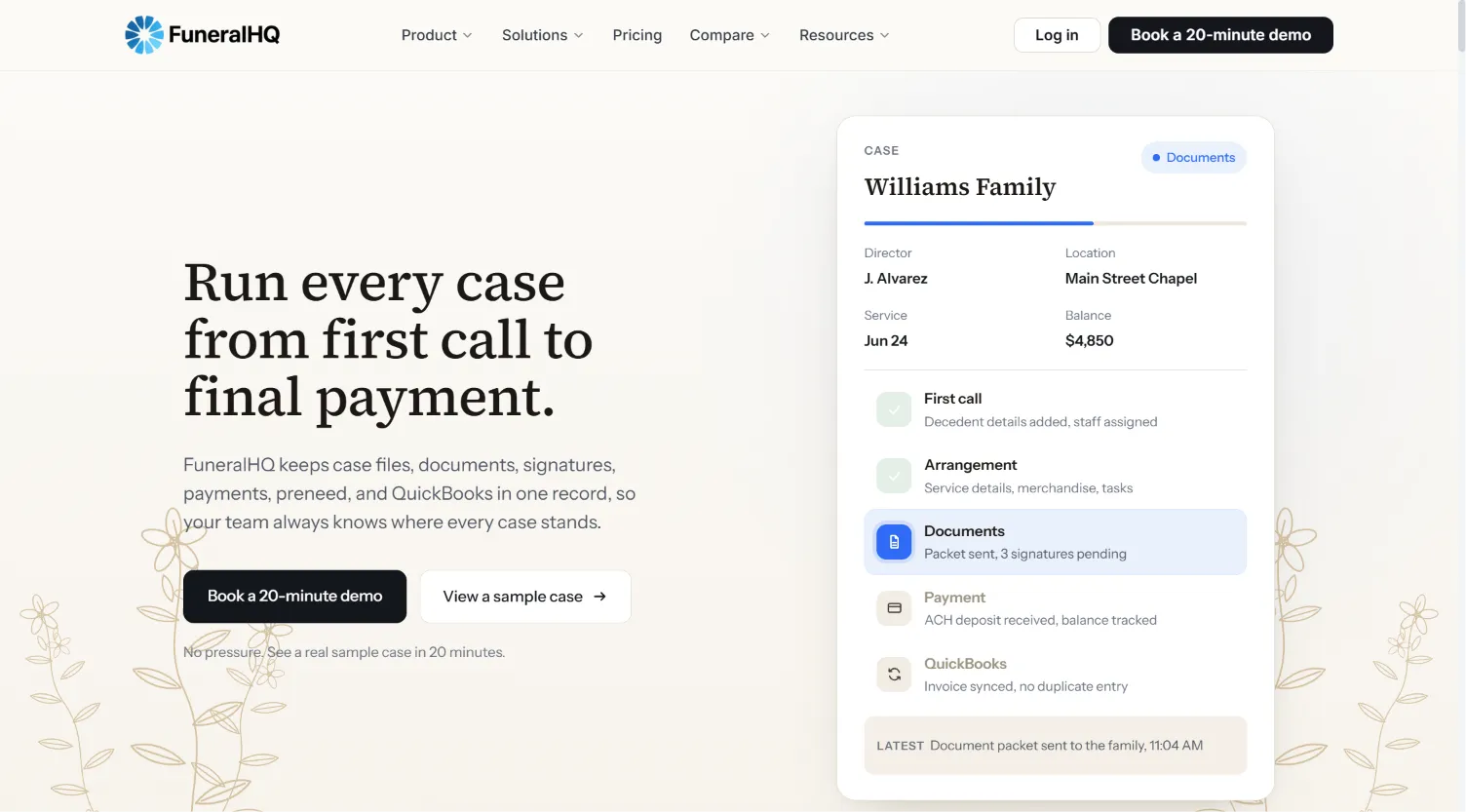
FuneralHQ is designed as a comprehensive, cloud-based funeral home management platform. Its big pitch is the ability to centralize all your casework, documents, scheduling, and staff communication in one place, removing the need for multiple separate tools.
Key features: FuneralHQ covers case management, arrangement forms, document templates, e-signatures, scheduling, and task tracking. It provides robust reporting, a client portal, and built-in compliance tools. There’s also support for preneed management, inventory, and simple financial tracking. The interface is modern and mobile-friendly, and it includes some integrations with website platforms and accounting tools.
Integrations: FuneralHQ offers integrations with major accounting systems (like Xero and QuickBooks), calendar platforms, and website providers for obituary publishing. It also integrates with some payment processors for online payments. However, deep customization or state registry integration may require their higher-tier plans or custom work.
Migration friction: Data migration is available, and their team provides onboarding help. Importing clients, cases, and basic forms is straightforward, but legacy document formats, custom fields, and attachments may need manual mapping or cleanup. Full data import may incur an additional fee for complex migrations.
Concrete use cases: FuneralHQ is popular with single-location or small groups that want everything under one roof with minimal IT overhead. It’s well-suited for funeral homes ready to upgrade from paper or spreadsheets, or those frustrated with juggling multiple SaaS vendors.
Honest trade-offs: While there are no per-case fees, feature depth and customization increase at higher price tiers. You may need to step up to Professional or Enterprise to access advanced reporting, integrations, or automation. As with all SaaS, you don’t own the code or database, and future price increases or changes to features are outside your control.
- No per-case or per-signature fees
- Cancel anytime, no setup fees for most plans
- Modern, user-friendly, and mobile-ready interface
3. Funeral Diary (Simple, per-user pricing)
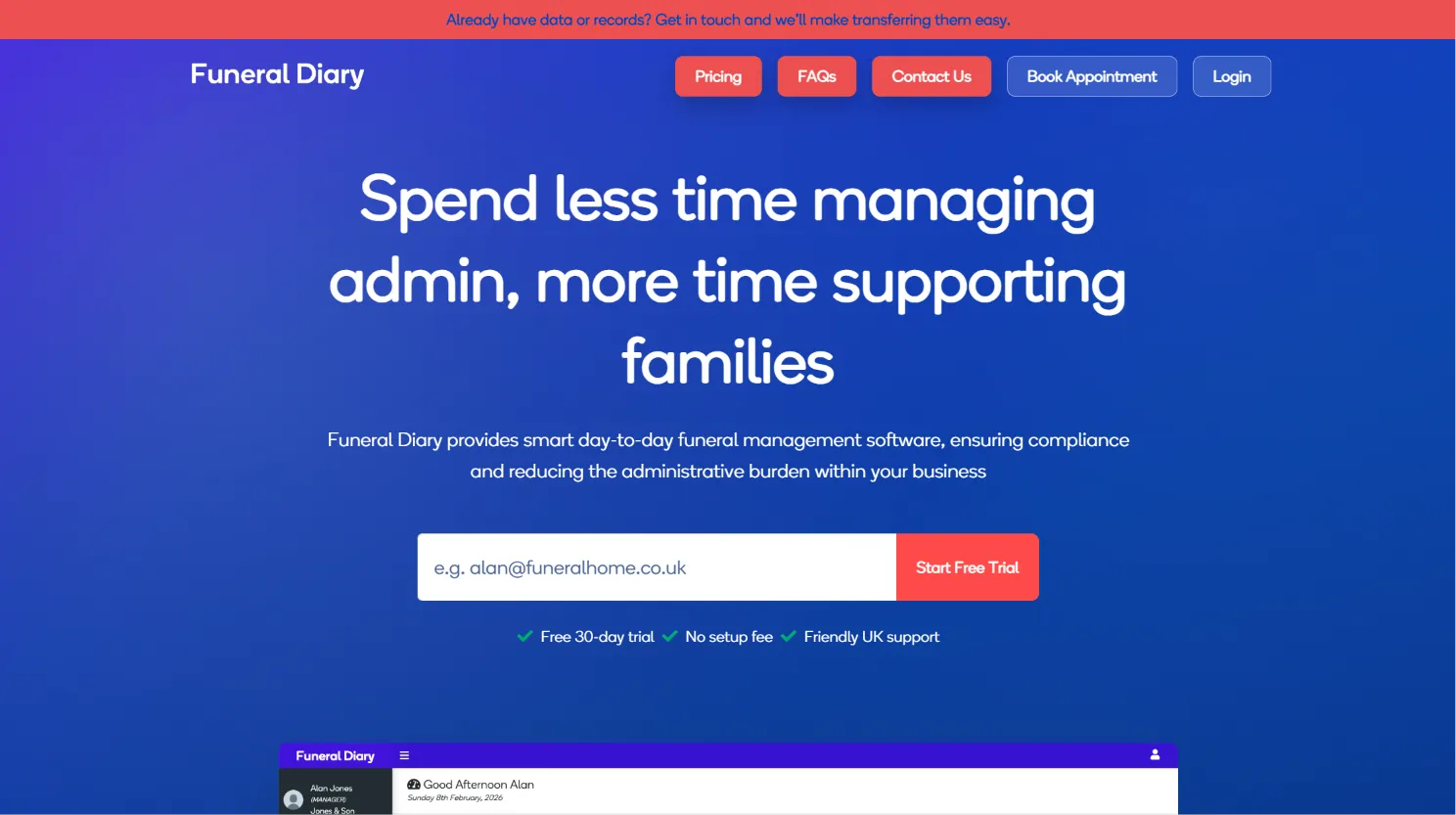
Funeral Diary takes a minimalist, per-user pricing approach, making it especially attractive to small funeral homes or those new to digital platforms. The focus is on simplicity, ease of use, and fast onboarding.
Key features: Funeral Diary handles case records, arrangement forms, scheduling, and basic reporting. The dashboard is clean, and features are intentionally streamlined to avoid overwhelming smaller teams. It includes cloud backups and supports basic document storage and export.
Integrations: Integrations are limited by design. Funeral Diary offers calendar sync and basic document export, but doesn’t connect deeply with accounting, website, or state registry systems. This keeps costs low but may limit automation for larger operations.
Migration friction: Importing clients and cases from PassageQuest is possible if you can export CSV or Excel files. However, attachments, custom fields, or complex workflows may not migrate easily. Support is available but may be limited outside business hours (UK-based).
Concrete use cases: Ideal for solo directors, family-run homes, or those just getting started with digital case management. Also useful as a supplemental tool for smaller branches of a larger group, provided integration needs are minimal.
Honest trade-offs: Per-user pricing can get expensive if your staff grows or if you use part-time or seasonal workers. Feature set is intentionally basic, so larger homes may outgrow it. Data is stored in the vendor’s cloud, so you don’t control the backend or database.
- Low entry price
- Free 30-day trial to test the fit
- Cancel anytime, no lock-in
4. FrontRunner Professional (Website & management suite)
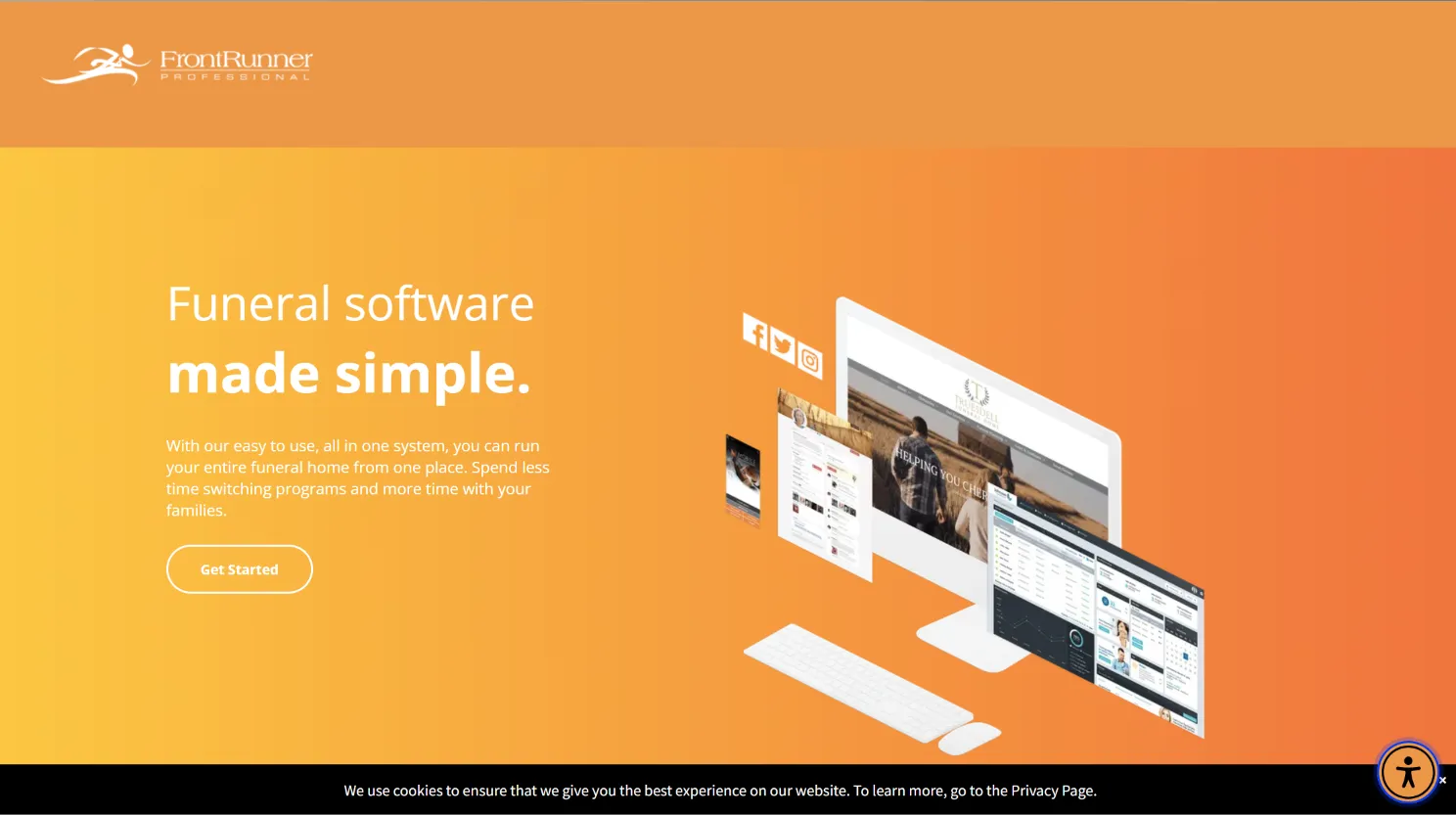
FrontRunner Professional (now part of Tribute Technology) offers a suite that blends funeral home management with digital presence tools. If you want a single vendor for your website, case management, and online tribute pages, it’s a strong contender.
Key features: FrontRunner includes case management, document templates, arrangement forms, and preneed tracking. Its unique strength is deep website integration: obituary publishing, online donation collection, and tribute pages are all handled in-platform. Marketing tools, live streaming, and aftercare modules are available in some packages.
Integrations: Strong integration with Tribute’s own website and memorialization tools. There are connections to some third-party payment processors, and limited support for accounting and CRM systems. However, deeper integrations (like state registries or external merchandise vendors) may require custom work and are not always available.
Migration friction: Migration from PassageQuest or other systems is supported, but can be complex due to the breadth of features and the need to map data to new website modules. Expect onboarding help, but be prepared for a learning curve if you’re new to integrated web/case platforms.
Concrete use cases: Best for funeral homes that want to modernize their web presence alongside back-office operations. Larger, multi-location firms often use FrontRunner to unify branding, marketing, and case management under one roof.
Honest trade-offs: Pricing is not published and can be significant, especially when bundling website development and marketing services. You may pay for features you don’t need, and you never own the platform. Customization is possible but comes at a premium, and you’re dependent on their roadmap for new features.
- Integrated website and management suite
- Powerful tribute and donation modules
- Trusted by many established firms
5. FDMS (Legacy users)
FDMS (Funeral Director’s Management System) is one of the oldest digital tools in the industry. It’s a solid choice for firms that have used it for years or those who value stability and a time-tested approach.
Key features: FDMS covers the essentials: case management, forms, compliance, preneed tracking, and basic accounting. It also supports inventory and merchandise modules. The user interface is dated compared to newer platforms, but its reliability is valued by many.
Integrations: Integrations are limited, reflecting its legacy status. Some support for website obituary publishing and basic accounting export exists, but FDMS is not built for modern API-driven workflows. Advanced integrations may not be possible without custom development.
Migration friction: For current users, sticking with FDMS means no migration at all. For those switching from PassageQuest, data import is possible for core records but attachments and custom fields may be lost. Support is available, but expect a slower, more manual migration process.
Concrete use cases: Well-suited for small to mid-sized homes with established workflows who value a “don’t rock the boat” approach. It’s also popular in rural areas where internet access is inconsistent, as FDMS can run on local servers.
Honest trade-offs: The interface may feel clunky or outdated to new staff. Limited integrations and a slower pace of innovation can be a drawback for homes wanting to modernize. As with all SaaS, you don’t own the software or database.
- Deep industry roots and stability
- Handles compliance and required forms
- Reliable for basic, established workflows
6. FuneralBuddy (Per-case pricing)
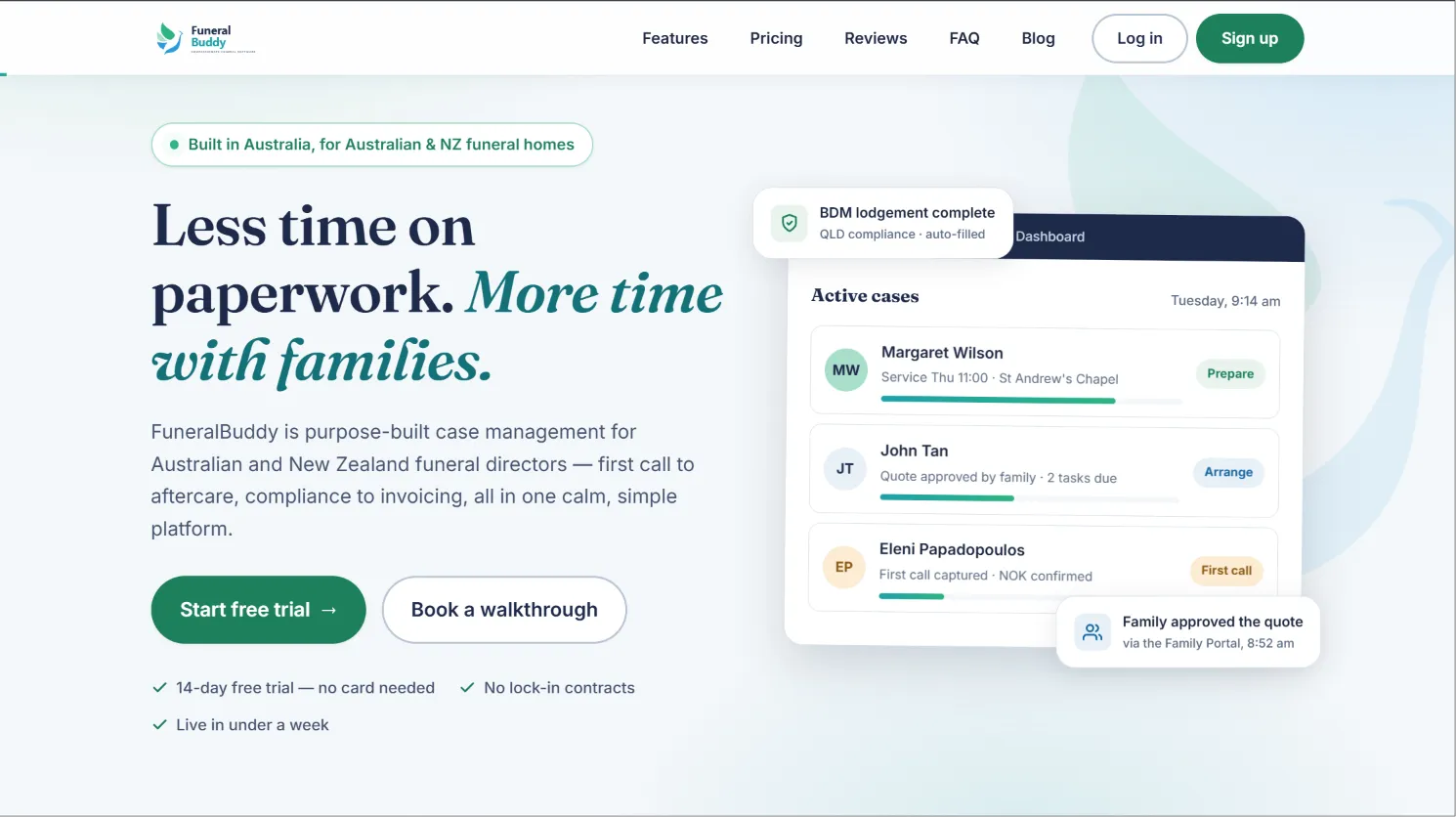
FuneralBuddy is built for funeral homes that want to pay only for what they use, with a predictable per-case fee. It’s especially popular in Australia and with homes that experience large swings in monthly case volume.
Key features: FuneralBuddy covers case management, document generation, and preneed tracking. It includes a simple scheduling tool, client communication templates, and basic reporting. The dashboard is easy to use, and the onboarding process is designed for speed.
Integrations: Integrations are limited. There’s some support for website obituary posting and simple calendar sync, but accounting and registry integrations are not standard. Customization is minimal.
Migration friction: Data import is possible for clients and cases, but attachments and custom forms may not transfer. Support is available, but most onboarding is self-serve. The platform is cloud-based, so migration from desktop tools requires exporting data to CSV or Excel first.
Concrete use cases: Funeral homes with highly variable monthly case counts, such as those in tourist regions or with seasonal spikes, benefit from the per-case model. It’s also a fit for new firms watching every dollar.
Honest trade-offs: Per-case fees can add up quickly if your volume increases, making it expensive for growing homes. Limited integrations and customization restrict its usefulness for larger or more complex operations. The platform is Australia-centric, so support and compliance features may not match US needs.
- No contract, cancel anytime
- Simple onboarding and transparent billing
- Pay only for what you use
7. CRäKN (Workflow automation)
CRäKN is a modern, cloud-based system focused on automating as many funeral home workflows as possible. Its goal is to reduce manual data entry, prevent duplicate work, and make compliance easier through automation.
Key features: CRäKN offers smart case management, automated task lists, compliance tracking, and real-time dashboards. There’s strong support for document generation, digital signatures, and advanced reporting. The platform is designed for collaboration, with notifications, audit trails, and role-based permissions.
Integrations: CRäKN integrates with several popular accounting systems, select state EDRS platforms, and some website providers. API access is available at higher tiers, allowing for custom integrations with other business tools or third-party platforms.
Migration friction: CRäKN provides migration support, but as with other platforms, the completeness depends on your data export from PassageQuest. Expect a structured onboarding process with data validation, but some manual effort for attachments or custom fields.
Concrete use cases: Ideal for multi-location funeral homes or those with a large, distributed staff. Homes seeking to automate compliance, reduce errors, and gain real-time operational visibility will benefit most.
Honest trade-offs: Pricing is unpublished and can be high, especially if you want API access or custom integrations. You still rent the software, so ongoing fees are unavoidable. Customization is possible, but only within the boundaries of the platform.
- Powerful workflow automation and dashboards
- Modern, secure, and cloud-based
- API integrations for advanced users
8. FuneralTech (Digital presence)
FuneralTech focuses on helping funeral homes build a strong online presence. If your main frustration with PassageQuest is lack of digital marketing or tribute features, FuneralTech is a top option.
Key features: FuneralTech offers website design, tribute and memorialization tools, online donation management, and social media integration. It also includes a case management module, but the primary strength is in public-facing digital experiences. Their platform supports live streaming, video tributes, and guestbook features.
Integrations: Deep integration with their own website and tribute tools, and support for select payment processors. Some limited integration with case management and accounting tools. API access is not standard.
Migration friction: FuneralTech offers migration and onboarding services, particularly for website and tribute content. Case data migration is possible, but you may need to manually import or clean up records, especially if coming from a non-standard system.
Concrete use cases: Best for funeral homes prioritizing online memorialization, digital marketing, and community engagement. Homes running frequent livestreams or offering advanced tribute pages will benefit most.
Honest trade-offs: The focus on digital presence means back-office management features may lag behind dedicated case management platforms. Ongoing fees and reliance on their platform for web tools mean you don’t fully own your digital assets.
- Rich web and tribute features
- Customizable memorials and online donations
- Expertise in digital marketing for funeral homes
9. FrontRunner Tribute Management (Comprehensive tribute platform)
Tribute Management (by FrontRunner) is a specialized platform for managing tributes, obituaries, and donations. It’s deeply integrated with the FrontRunner website suite, making it a strong choice for firms that want to streamline public-facing memorialization.
Key features: Tribute Management supports obituary creation, online condolences, photo and video tributes, donation processing, and guestbook moderation. It syncs automatically with the funeral home’s website and can be branded to match your firm’s look.
Integrations: Tight integration with FrontRunner’s own website and donation modules. Limited direct integration with outside tools, but data export for obituaries and donations is available.
Migration friction: Onboarding is guided, but migration from non-FrontRunner platforms may require manual re-entry of tribute content or custom import scripts. Existing obituaries and tribute content can often be imported, but formatting may require adjustment.
Concrete use cases: Best for larger funeral homes or those that want to centralize all tribute, memorial, and donation activity in one place. Also useful for firms looking to increase community engagement and streamline website updates.
Honest trade-offs: Some features require bundled purchase with other FrontRunner products. Ongoing fees and reliance on their platform mean you don’t own the system or tribute content outright. Customization is limited to what their platform allows.
- Integrated with website and donations
- Handles tributes and guestbooks at scale
- Trusted by multi-location firms
10. Devaims (Full ownership, custom-built for your funeral home)
When you’re ready to break the cycle of renting and want a system tailored to your exact needs, Devaims by Softaims is the only option on this list that delivers true ownership. Devaims builds your software from the ground up, incorporating every workflow, report, and integration your funeral home requires, then hands you the source code and database.
Key features: Every feature is built-to-spec: case management, forms, compliance, custom reporting, integrations with state registries, accounting, inventory, website, and more. The interface and workflows are tailored to how your team already works, not a generic industry template. You can add, remove, or change anything as your business evolves.
Integrations: Whatever you need: QuickBooks, Xero, state EDRS, website platforms, CRM, payment processors, and even SMS or email automation. You’re not limited to what a SaaS vendor offers; if an API exists, Devaims can connect it.
Migration friction: The Devaims team handles data migration as part of the project. They map your existing data, clean up inconsistencies, and ensure you start with a complete, accurate database. Attachments, custom fields, and legacy documents are all addressed, making the transition as seamless as possible.
Concrete use cases: Best for funeral homes with complex workflows, high case volume, or unique processes that off-the-shelf tools can’t handle. Also ideal for multi-location firms wanting unified management and reporting, or any owner tired of recurring fees and vendor lock-in.
Honest trade-offs: Upfront investment is higher than SaaS, and you’ll need to budget for ongoing maintenance (updates, security, hosting). However, your total cost of ownership drops dramatically after the break-even point, and you gain complete control over your platform and data.
- One-time build, you own the code and database
- No per-case, per-user, or per-feature fees, ever
- Custom-tailored to your business
- Flat, predictable maintenance costs
- Full data portability and integration freedom
Other PassageQuest alternatives worth knowing
- MiMS: Focused on memorial management but lacks full case handling. Good for firms that want a tribute-first approach, but not a complete management tool.
- CIMS (funeral): Cemetery-first, not funeral home-centric. Works well for firms that also manage cemeteries but is not optimized for funeral home workflows.
- Epitaphe: Strong in French-speaking markets, limited English support. Offers modern design but may not meet US compliance needs.
- Bereave: Direct-to-consumer memorials, not full funeral home software. Useful for families but not a business platform.
- Aurora Funeral Solutions: Hardware and merchandise focus, less on management platform. Good for merchandise integration but not a full SaaS alternative.
How to choose the right PassageQuest alternative
- By case volume: Under 75 cases a year? Lite plans may suffice. High volume? Watch out for escalating per-case or per-user fees, as they can dwarf initial savings.
- By staff size: Per-user pricing is manageable for small teams, but costs can spiral as you add part-time or seasonal staff. Consider how pricing changes if you expand.
- By feature needs: Custom workflows, forms, or integrations are rarely supported in SaaS tools unless you pay for the highest tier or commission custom work. Make a list of must-have features and see which platforms actually deliver.
- By ownership preference: If control, custom reporting, and data portability matter, only a solution you own (like Devaims) truly fits. This is especially important if you want to future-proof your business or integrate with other systems long-term.
- By long-term cost: Add up what each option will cost over 5 years, not just year one. Include migration, support, and any hidden fees. Ownership often wins after the third or fourth year, especially as your business grows.
If you’re ready to stop renting and actually own your system, here’s how Devaims changes the math.
Stop paying rent on software you could own
The real headache with PassageQuest and every alternative on this page? No matter how you slice the pricing, per-case, per-user, per-computer, or “all-in-one”, you’re still paying rent for software you never own. Every year, the bill comes due, and every year, you get nothing to show for it except another receipt. Devaims by Softaims takes the opposite approach: We build the platform to your specs, hand you the source code, and you own the system forever. No vendor lock-in, no surprise hikes, no losing access because you switch providers.
Every frustration with rented software, per-case fees, feature upgrades, export headaches, vanishes when you own the build. Here’s how Devaims solves each pain point:
- Case volume spikes? No extra fees, ever. Whether you handle 100 or 1,000 cases a year, your software costs stay flat.
- Need a new user or workstation? Unlimited, you control access, not the vendor.
- Custom reporting, forms, integrations? Built for you, not for “the average client.” You decide what’s tracked, calculated, and reported.
- Worried about export or switching? You have the database, forever. No more paying to access or move your own data.
Devaims is for funeral homes that want to control their future and stop paying tolls for their own data and process. Here’s how it stacks up:
| Tool | Ownership | 5-Year Cost (100 cases/year) | Contract? |
|---|---|---|---|
| Osiris (Standard) | Rented | $135 x 12 x 5 = $8,100 (plus extra computers) | No |
| FuneralHQ (Professional) | Rented | $249 x 12 x 5 = $14,940 | No |
| FuneralBuddy (Professional, 100 cases/year) | Rented | ($149 + $15x100/12) x 12 x 5 = $14,940 | No |
| Devaims (custom build) | You own it | $32,000 build + $200/mo maint = $44,000 (5 yrs) | No |
| Year | Rented (Osiris) | Owned (Devaims) |
|---|---|---|
| 1 | $1,620 | $32,000 + $2,400 = $34,400 |
| 2 | $3,240 | $36,800 |
| 3 | $4,860 | $39,200 |
| 4 | $6,480 | $41,600 |
| 5 | $8,100 | $44,000 (now ahead) |
For most funeral homes, the break-even comes at year 5, with every year after pure savings. The bigger your team or case count, the faster you pull ahead. Want to see your own numbers? We’ll model it free, no strings. If you’re considering the long-term, factor in not just direct costs, but also the value of owning your data and the freedom to adapt the software as your business evolves.
How to switch from PassageQuest
- Export your data from PassageQuest: This includes clients, cases, forms, and all file attachments. Request a full export in CSV, Excel, or a database format if possible. Check for any export fees or limitations before you begin.
- Choose your new platform and ensure import compatibility: Not all systems import the same data fields or attachment types. Confirm with your new vendor (or Devaims) what can be imported seamlessly. If you need to migrate custom forms or legacy data, ask about mapping and cleanup services.
- Map and import your data: Data should be reviewed, cleaned, and mapped to the new system’s fields. Run test imports and verify completeness and accuracy. For custom platforms (like Devaims), everything can be mapped exactly as needed, reducing data loss.
- Reconnect integrations: Set up payments, state registry links, website obituary feeds, and any other integrations you rely on. Test each connection to ensure smooth operation.
- Train your staff: Provide hands-on training for your team, covering new workflows, permissions, and support channels. Consider running old and new systems in parallel for a week or two to catch issues.
- Review and cancel your old contract: Only cancel PassageQuest once you’re confident the new system is live, stable, and complete. Keep records of your migration for compliance and auditing.
With a custom Devaims build, the migration process is managed for you, including data mapping, staff training, and integration setup. This reduces downtime and minimizes errors.
Frequently asked questions
What is the best PassageQuest alternative for most funeral homes?
Osiris is the easiest direct replacement for most, with transparent pricing, no contracts, and solid core features. FuneralHQ is a close second for those seeking an all-in-one management suite, especially if you want modern design and robust reporting. However, both are SaaS, so you never own the code or database. If your goal is true ownership, control, and the ability to customize every workflow, Devaims is the only solution that lets you own your platform outright.
Which PassageQuest alternative is cheapest for small shops?
Funeral Diary offers a low per-user price, and Osiris Lite is affordable for up to 75 cases annually. For very small teams, these options keep monthly costs down and require little IT support. However, as your staff or case volume grows, fees rise. With Devaims, the upfront investment is higher, but the cost per user drops to zero after launch, and you’re never forced into a higher tier just to add a new team member.
Is there a free PassageQuest alternative?
No full-featured funeral home management system is truly free. Some vendors offer limited free trials or demo versions, but these are designed for evaluation only. Open source options are rare in this vertical, and most lack compliance features. For complete ownership and no ongoing fees, a custom build from Devaims is the only path that starts paying you back over time.
Which PassageQuest alternatives work best for high-volume funeral homes?
Osiris Standard and FuneralHQ’s higher tiers can handle high volumes, but per-case or per-user fees may add up quickly. FrontRunner and CRäKN also support multi-location and high-volume operations, with advanced workflow and reporting features. However, the more you grow, the more you pay. For high-volume firms, a Devaims-built system means flat costs, unlimited users, and workflows that scale with your business, not your bill.
Can I keep my historical data if I switch from PassageQuest?
Most platforms allow data export, but the process can be clunky or incomplete. Attachments, custom fields, and historic notes may be lost or require manual migration. Always verify import capabilities on your new system before signing a contract. With Devaims, you own the database and can migrate or extend it however you want, ensuring all your records and attachments are preserved.
When is it worth switching to a custom solution like Devaims?
If your annual software spend is $5,000 or more, or you’re frustrated by feature gaps, lack of integrations, or recurring fees, the 5-year cost math usually favors ownership. Custom is also the best choice if you have unique workflows, compliance needs, or want to integrate with other systems your business uses. Devaims is the only PassageQuest alternative with a path to full control and long-term savings.
Do any PassageQuest alternatives let me own the software?
None of the major SaaS options offer true ownership, you rent access and are subject to their terms, price changes, and feature roadmap. Only Devaims builds a platform you fully own, with the source code in your hands and no recurring per-case or per-user charges. This is the key difference for funeral homes that want to control their destiny and protect their data.
The bottom line
Add up the cost of every PassageQuest alternative over the next five years, if that number could have built you a platform you own, you already know what to do. Most funeral home management systems are rented, and the math tilts in the vendor’s favor the longer you stay. If you want to stop paying for the privilege of accessing your own data and process, owning your system with Devaims is the only path off the treadmill. Want a real-world break-even analysis? Let’s run the numbers for your funeral home, no pitch, just facts.
Want more insights? Visit the Devaims blog or check out our guides to FrontRunner Professional alternatives, FDMS alternatives, and CRäKN alternatives. For a deeper dive into SaaS vs ownership, see resources from Software Advice and Capterra.