


You log in to Chime CRM, pull up your pipeline, and there it is again, another fee, another "premium" feature nudging you to upgrade. Maybe it's the per-user pricing that stings as your team grows, or maybe it's just that nagging feeling you never really own the system that's now running your agency. Either way, you're not the only broker looking for Chime CRM alternatives in 2026.
kvCORE and BoomTown are the names you hear most often, but every tool here, unless you own it, carries the same old rent versus own trade-off. So let's break down the real strengths, the gotchas, and what it costs to rent versus own. The twist? The last option is a platform you actually keep, your own, built by Devaims.
Why real estate agencies look for Chime CRM alternatives
Per-user and per-lead fees compound quickly. Bringing on new agents or scaling your lead gen often means more than just a higher bill, it means your cost structure is tied to someone else’s price hikes. As your team expands, each new login can mean $50 to $100 more per month, per user, and if you’re running a brokerage or team of 10 or more, these costs can quietly balloon to tens of thousands over a few years. This pricing model also means you’re at the mercy of annual increases that can come with little warning.
Locked features and forced upgrades. Many real estate CRMs, including Chime, use tiered pricing to wall off crucial features like advanced automations, reporting, or integrations. You might start on a $299/month plan, only to discover that lead scoring, texting, or custom workflows are locked behind a $599 or $1,000 tier. The end result is unpredictable costs just to get the functionality you need to compete.
Contract lock-in and tricky term changes. Annual contracts with auto-renew clauses are the industry standard. Cancellation windows can be narrow, and exit penalties or data export fees are not uncommon. Many agencies report that getting out of a contract, especially mid-year, can mean paying for months you no longer need or losing access to your own data if you don’t plan carefully.
Disjointed integrations and add-on fatigue. Chime CRM and most alternatives promise “all-in-one” but often require separate subscriptions for transaction management, marketing automation, or compliance. Connecting to your accounting system, lead sources, or local MLS can require third-party connectors or manual workarounds, each with their own costs and headaches. This patchwork approach not only increases your monthly spend, but also creates training and support issues as your stack grows more complex.
Data portability limitations. Exporting your full deal and contact history is rarely simple. Some platforms restrict data exports to basic contact lists, omitting notes, communication logs, or custom fields, making switching risky. Agencies with years of lead and deal data find themselves facing manual migration or partial data loss. For agencies ready to break free, "Chime CRM alternatives" is the search that starts the journey to better control and predictable costs.
Quick comparison of the best Chime CRM alternatives
| Tool | Best for | Starting price | You own it? |
|---|---|---|---|
| kvCORE | All-in-one brokerage CRM | Reported from $499/mo | No, subscription |
| BoomTown | Team lead gen & automation | Reported from $1,000/mo | No, subscription |
| Follow Up Boss | Lead follow-up focus | From $69/user/mo | No, subscription |
| Real Geeks | IDX websites + CRM | From $299/mo | No, subscription |
| Sierra Interactive | IDX & advanced search | From $499/mo | No, subscription |
| LionDesk | Budget-friendly CRM | From $25/mo | No, subscription |
| Top Producer | Long-time CRM users | From $99/mo | No, subscription |
| Dotloop | Transaction management | From $31.99/mo | No, subscription |
| Devaims | Platforms you own | From $29,000 build + $180/mo | One-time build, you own it |
Always confirm current pricing before you decide, fees and tiers change fast in this market.
The 9 best Chime CRM alternatives
1. kvCORE (All-in-one brokerage CRM)
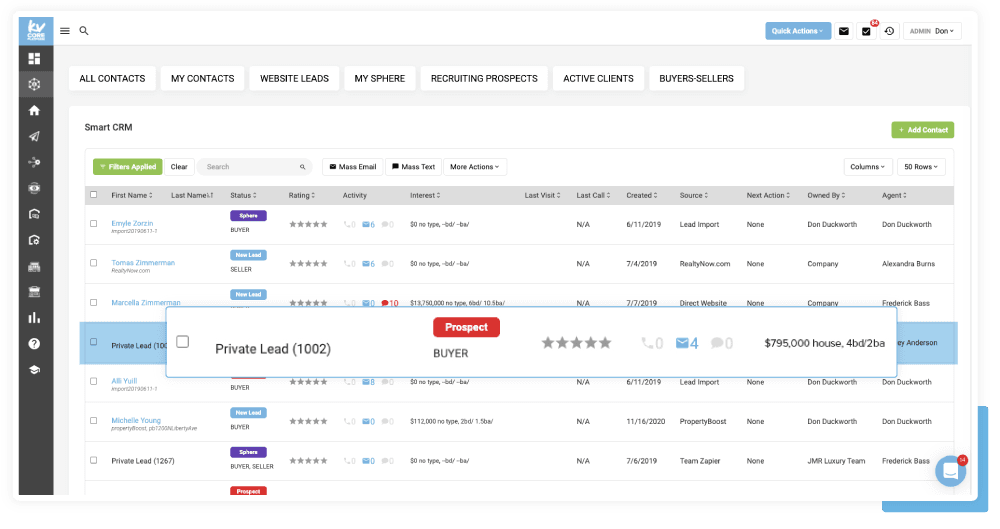
kvCORE is widely regarded as the most comprehensive out-of-the-box real estate platform for brokerages prioritizing marketing automation, lead capture, and agent productivity. Its modular nature lets you bolt on everything from mass texting to open house sign-in tools. The platform includes an IDX website for every agent, strong drip campaigns, AI-powered lead follow-up, and a deep library of integrations with top lead sources (Zillow, Realtor.com, Facebook), as well as transaction management tools and analytics dashboards.
For teams with diverse agent needs, kvCORE’s granular permission system ensures that leads, tasks, and reporting are only visible to the right people. Its Marketplace offers add-ons like CORE BackOffice, a transaction management system, and third-party integrations (Mailchimp, Dotloop, SkySlope). The system integrates with over 100 tools, but deeper or custom integrations may require API work and technical support.
Migration to kvCORE is generally smooth for brokerages already using cloud-based CRMs, with a dedicated onboarding team available. However, importing complex historical data, custom fields, or unique workflows can require significant manual effort. Ongoing, the biggest friction point is the per-agent pricing, which can push costs over $2,000/month for mid-sized teams. Reports of price increases and contract changes are not uncommon, so it’s wise to negotiate terms up front.
Use cases: Multi-office brokerages, teams wanting a single dashboard for leads, deals, websites, and marketing. Agencies that run paid lead gen campaigns and want built-in automation and reporting.
Trade-offs: You get breadth and reliability, but not true ownership. Some users report “bloat” from unused features, and team-specific workflows may require workarounds. If you want to change core logic or add custom modules, you’re limited by kvCORE’s roadmap and pricing.
Pricing: Reported from $499/mo, custom pricing for larger teams. See pricing.
- Powerful lead generation and marketing suite
- IDX website included for every agent
- Rich automation and strong integrations
- Annual contracts required for most tiers
- Premium features gated in higher-priced plans
- Per-agent fee structure can balloon costs
On a custom-built platform, adding a new agent does not trigger another monthly bill, ownership flips the cost equation.
2. BoomTown (Team lead gen & automation)
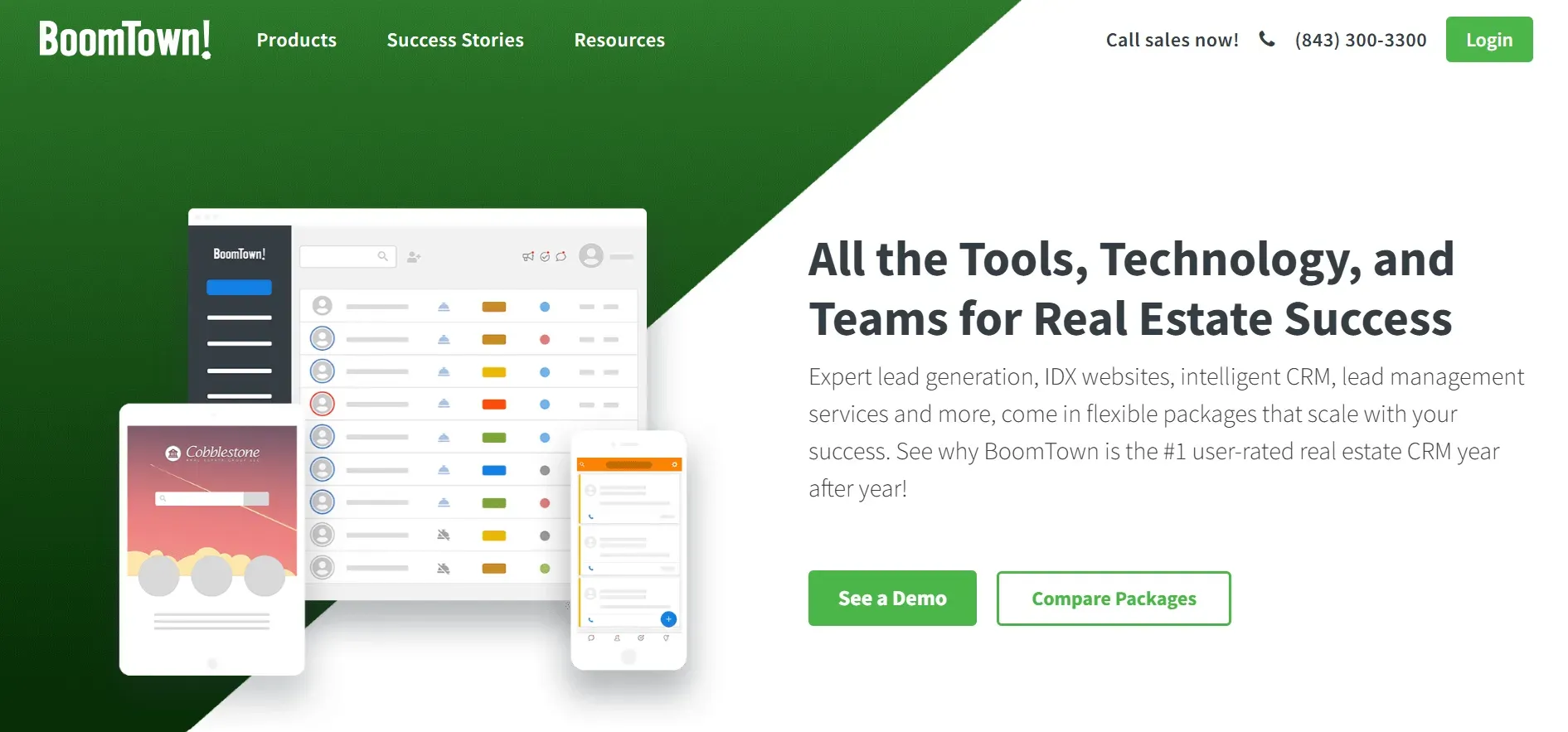
BoomTown is designed for high-performing real estate teams and brokerages that want to maximize lead generation, automate nurture sequences, and track agent performance in detail. BoomTown’s core strength is its ability to handle high lead volumes from multiple sources, with advanced lead scoring and automated follow-up via text, email, and calls. Its IDX websites are customizable and optimized for SEO, and its reporting suite allows brokers to drill into agent conversion rates, lead sources, and pipeline health.
BoomTown integrates with major MLS feeds, Google and Facebook ad platforms, and transaction management tools like Dotloop and SkySlope. Its open API allows custom integrations, but these usually require technical help. The onboarding process is highly structured, with a dedicated team to help migrate contacts, set up lead routing, and train agents. However, migration from platforms with custom data structures or unique workflows can be complex and may require manual data cleaning.
The cost structure is a major consideration. BoomTown’s base price starts around $1,000/month, with onboarding fees often exceeding $750. Premium features, such as advanced drip campaigns, predictive analytics, and multi-team management, are only available in higher tiers. The per-user model means costs can escalate quickly as your team grows. Contracts are typically annual, with steep penalties for early exit.
Use cases: Large teams or brokerages with dedicated ISAs (inside sales agents), agencies running large-scale paid lead gen campaigns, or those seeking advanced automation and analytics.
Trade-offs: You get strong lead management and analytics, but at a premium price, and you never own your workflows or data. Customization is possible, but only within the limits of BoomTown’s platform. Agencies with specialized needs or a desire for ownership may find the ongoing costs and lack of flexibility limiting.
Pricing: Starts around $1,000/mo for core, onboarding fees can add $750+ up front. See pricing.
- Excellent lead capture and nurture tools
- Integrated IDX and marketing websites
- Scalable for larger teams
- Steep monthly cost plus setup fees
- Long-term contracts standard
- Advanced features only in higher tiers
3. Follow Up Boss (Lead follow-up focus)
Follow Up Boss is built for teams obsessed with speed-to-lead and systematic follow-up. Unlike all-in-one platforms, Follow Up Boss focuses on making sure every lead is responded to within seconds, with powerful lead routing, automated reminders, and integrations with hundreds of lead sources (including Zillow, Realtor.com, Homes.com, and Facebook). Its mobile app is among the best in the industry, supporting texting, calling, and task management on the go.
Follow Up Boss integrates natively with transaction management tools like Dotloop and SkySlope, as well as marketing platforms like Mailchimp, BombBomb (video email), and Zapier for custom automations. While there is no built-in IDX website, it can connect to third-party IDX providers for lead capture. Migration is straightforward for contact and deal data, but custom workflows or notes may require manual entry or API assistance.
Its per-user pricing model offers flexibility (no annual contracts required), but costs rise as your team expands. The lack of built-in marketing automation and IDX means you may need additional subscriptions for a full stack. However, its laser focus on follow-up makes it a favorite among conversion-focused teams.
Use cases: Small and midsize teams with high lead volumes, ISAs, or those using multiple lead sources. Agencies wanting a simple, fast CRM that integrates with their existing website and marketing stack.
Trade-offs: You get strong lead follow-up, but must rely on outside tools for websites and advanced marketing. True customization is limited to what’s possible through integrations or API.
Pricing: From $69/user/mo, no long-term contract required. See pricing.
- Superb lead routing and tracking
- Clean, intuitive interface
- Integrates with many lead sources
- No built-in IDX website
- Pricing grows per user
- Limited marketing automation
Custom software from Devaims could combine your unique workflows and website under one roof, no more stitching systems together.
4. Real Geeks (IDX websites + CRM)
Real Geeks is a practical choice for agencies wanting a bundled IDX website and CRM at an approachable price. Its websites are clean, mobile-friendly, and optimized for SEO and lead capture. The CRM includes basic lead management, drip email, SMS follow-up, and activity tracking. Real Geeks offers Facebook marketing tools, a property valuation landing page builder, and integrations with Zapier for connecting to other apps.
Migration is simple for contact and lead data, but agencies with complex workflows or custom data fields may find configuration options limited. Real Geeks integrates with Dotloop, BombBomb, Mailchimp, and Google Calendar, but most advanced automations or reporting require third-party tools. There are extra fees for some integrations and for adding multiple websites or market areas.
Use cases: Small teams or solo agents wanting an all-in-one website and CRM with minimal setup. Brokerages focused on organic lead generation and simple nurture sequences.
Trade-offs: You get affordability and ease of use, but customization and scalability are constrained. Larger brokerages or those needing advanced automation, custom reporting, or deep API integrations may quickly outgrow the platform.
Pricing: From $299/mo for website and CRM bundle. See pricing.
- Affordable entry price
- IDX search built-in
- Simple lead capture and follow-up tools
- Limited advanced automation
- Customization options are basic
- Extra cost for some integrations
5. Sierra Interactive (IDX & advanced search)
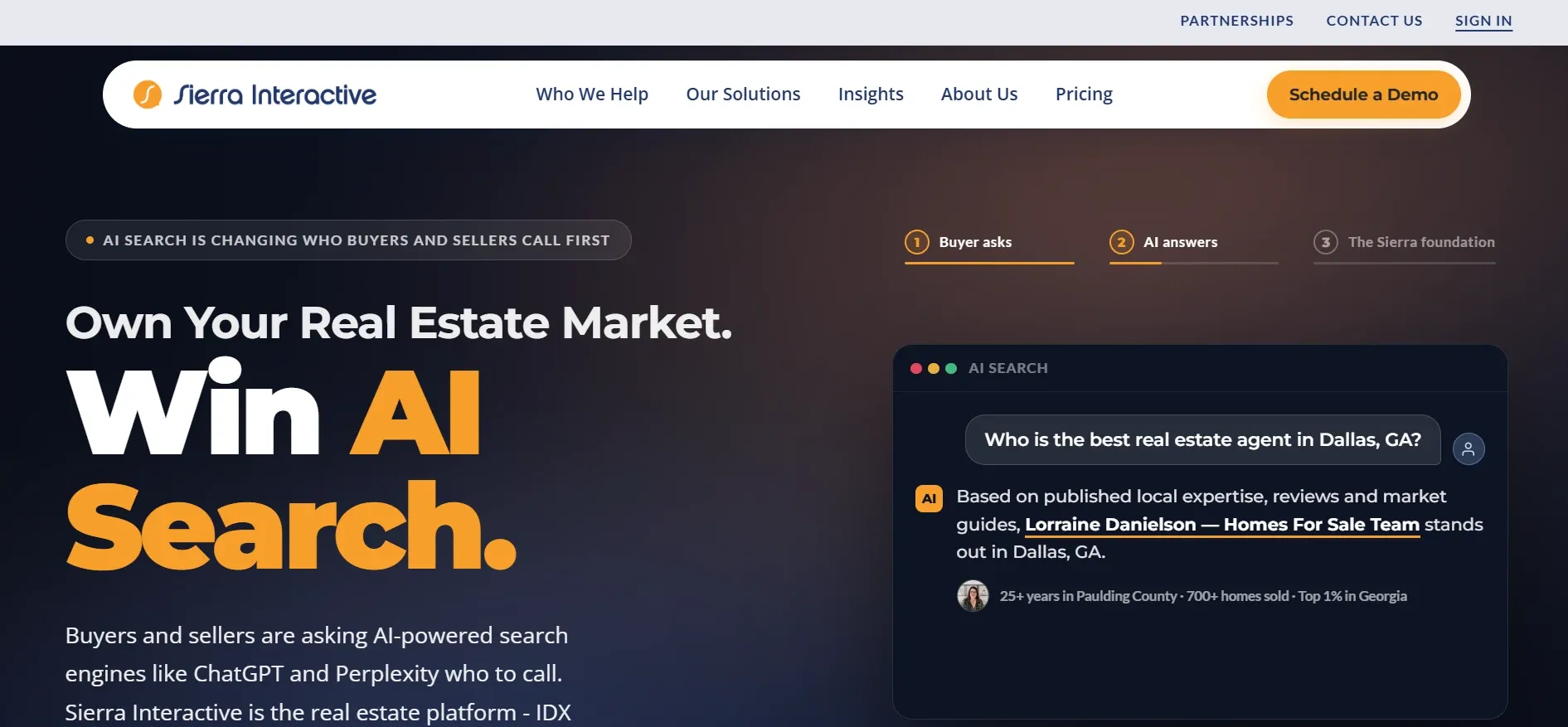
Sierra Interactive is tailored for brokerages that want powerful, highly customizable IDX search, advanced lead routing, and strong reporting. Its websites are fast and SEO-friendly, with deep filtering for property searches. Sierra’s CRM offers lead scoring, automated follow-up, task management, and team accountability tools.
Where Sierra stands out is its support for multiple MLS feeds and market areas, making it a favorite for multi-state or multi-market brokerages. It integrates with Dotloop, BombBomb, Mailchimp, Mojo Dialer, and hundreds of apps via Zapier. The platform supports custom lead routing rules, agent accountability dashboards, and granular permission settings.
Migration is handled by a dedicated onboarding team, but importing complex data (custom fields, notes, transaction history) often requires manual mapping and can take weeks. Setup fees are standard, and some features such as advanced analytics, text messaging, or additional website templates are only available as paid add-ons.
Use cases: Brokerages with multiple offices, teams needing advanced IDX and lead routing, agencies prioritizing SEO and custom website experiences.
Trade-offs: You get flexibility and depth, but the interface is less modern than some competitors, and costs rise quickly with add-ons. Custom workflows are limited to what Sierra supports, and you still rent your data.
Pricing: From $499/mo plus setup fees. See pricing.
- Flexible IDX and MLS support
- Great lead routing for teams
- Strong reporting options
- Setup fees required
- Some features only available as add-ons
- Interface less modern than rivals
On a platform you own, those "add-ons" are just standard features, no upcharge, no nickel-and-diming.
6. LionDesk (Budget-friendly CRM)
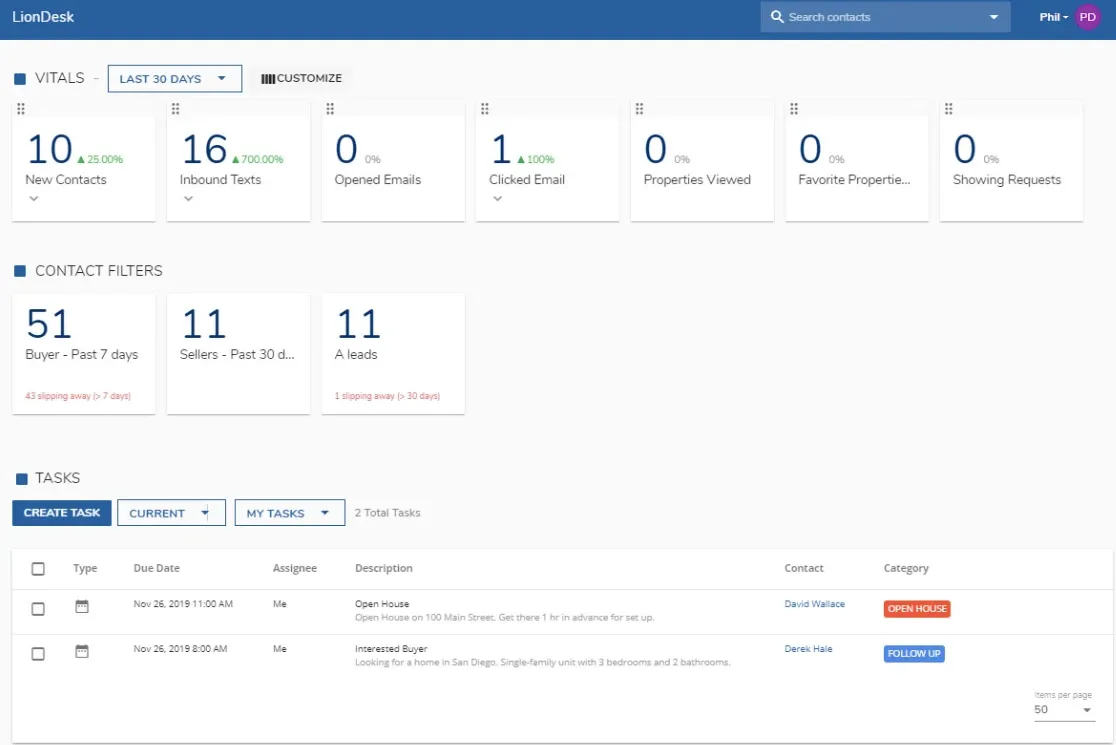
LionDesk is the go-to for solo agents or small teams seeking a simple CRM at a low price. It covers the basics: contact and lead management, email and SMS drip campaigns, task reminders, and video messaging. LionDesk’s interface is straightforward, making onboarding quick for new users.
It integrates with Zapier, BombBomb, Facebook, and Google Calendar, but lacks built-in IDX or deep automation. Importing contacts is easy, but migrating more complex data (notes, custom fields) may require support. LionDesk’s mobile app supports texting and calling, and its video email feature is popular for personal outreach.
Use cases: Solo agents, new teams, or brokerages seeking a secondary, low-cost CRM for specialty lead sources.
Trade-offs: You get simplicity and value, but will likely outgrow LionDesk as your team or needs expand. Advanced automation, reporting, and integration with transaction management or accounting require third-party tools. No true ownership or flexibility beyond what’s built in.
Pricing: From $25/mo for base plan. See pricing.
- Very affordable
- Simple and straightforward
- SMS and video messaging built-in
- Limited automation and integrations
- No IDX website included
- Interface can feel dated
7. Top Producer (Long-time CRM users)
Top Producer is a legacy platform, trusted by agents for decades. Its core features include contact and pipeline management, listing and closing checklists, and long-term nurture campaigns. Top Producer is especially strong in tracking transaction history and client communications over years, making it a favorite for repeat and referral business.
The platform integrates with MLSs, Dotloop, BombBomb, and other real estate tools, but its interface and workflows are rooted in older paradigms. Migration from Chime or modern CRMs can be cumbersome, as custom fields and automations may not translate directly. Top Producer offers email, phone, and chat support, and a knowledge base for self-service training.
Use cases: Agents and teams with deep historical databases, those focused on long-term client relationships, or agencies valuing stability over modern features.
Trade-offs: You get reliability and a proven track record, but fewer modern integrations and slower feature updates. Customization is limited, and per-user pricing can become costly as your team grows.
Pricing: From $99/mo per user. See pricing.
- Trusted, stable platform
- Detailed contact and deal tracking
- Solid customer support
- Legacy interface and workflows
- Fewer integrations than newer tools
- Some features require higher plans
8. Dotloop (Transaction management)
Dotloop is the industry standard for transaction and document management. It is not a full-featured CRM, but it excels at compliance, e-signatures, and workflow automation for deals. Dotloop’s platform allows agents to create, track, and share transaction documents with clients, brokers, and cooperating agents, all while maintaining a complete audit trail.
Dotloop integrates with most major CRMs (including Chime, kvCORE, BoomTown, and Follow Up Boss) and supports MLS listing imports. Its API allows custom integrations, but advanced workflows may require partner apps. Data migration is limited to transaction documents, not contact histories. Team and brokerage features (compliance review, reporting, custom templates) are available at higher price points.
Use cases: Brokerages needing airtight compliance, teams wanting to streamline document workflows, or agencies with hybrid workflows needing e-signature and audit trails.
Trade-offs: You get strong transaction management, but will need a separate CRM for lead and client management. Costs can rise for teams or brokerages needing advanced broker features.
Pricing: From $31.99/mo for agents. See pricing.
- Excellent document and transaction tools
- Widely used for compliance
- Easy e-signature workflows
- Not a full-featured CRM
- Extra cost for team and brokerage features
- Integrates with but does not replace your CRM
9. Devaims (Platforms you own)
If you are tired of renting your CRM, Devaims builds custom real estate platforms, CRM, IDX, lead gen, reporting, transaction management, tailored to your process, with code and data you own outright. No per-user, per-lead, or per-feature upcharges. Just a one-time build and flat, predictable maintenance. Every workflow, dashboard, and automation can be designed around your unique agency needs, and you retain full access to your data at all times.
Devaims platforms integrate with your MLS, accounting, marketing, and compliance tools on your terms. Migration from Chime or any other CRM is handled for you, including mapping custom fields, importing historical data, and recreating automations. The result is a single, unified system that grows and adapts with your agency, not someone else’s roadmap.
Use cases: Mature agencies, growing brokerages, or teams with unique workflows, compliance needs, or a desire to build lasting equity in their tech stack.
- You own your platform and your data forever
- No subscription, no contract, no forced upgrades
- Custom workflows, reports, and integrations built for your agency
Other Chime CRM alternatives worth knowing
- Lofty (formerly Chime): Nearly identical to Chime, but with a new brand. Still a rental model with per-user pricing and contracts.
- Contactually (Compass-exclusive): Now only available for Compass agents; no longer open to independents or other brokerages.
- Wise Agent: Budget CRM with basic automation and team features. Good for solo agents or small teams, but lacks the advanced reporting and integrations most brokerages need.
- RealtyJuggler: Ultra-low-cost CRM with basic features; lacks lead routing, advanced automation, or modern integrations.
- Propertybase: Salesforce-based platform with deep customization, but high cost and complexity; best for enterprise brokerages.
How to choose the right Chime CRM alternative
- Budget: Set a true total cost for your team size, including add-ons, per-agent fees, and onboarding. Use a 3 to 5 year horizon, not just first-year pricing. Many agencies find that "affordable" solutions become expensive as they scale.
- Ownership: Decide if you want to rent forever or build equity in your system. Ownership means you control your data, workflows, and costs, and can adapt as your agency grows.
- Workflow fit: Some tools focus on lead gen, others on compliance or transaction management; few do both well. Map your agency’s unique processes and see which solutions cover them natively, and where you’ll need workarounds.
- Integration: List every platform you rely on, MLS, marketing, accounting, e-signature, compliance. Check which CRMs offer native integrations, and where you’ll need to use Zapier, API, or manual exports. The fewer manual steps, the smoother your operation will run.
- Support and training: Consider onboarding resources, training materials, and ongoing support. Some platforms offer white-glove migration and live training; others provide only documentation or community forums.
For mature agencies with unique workflows or tight compliance needs, a custom platform may be the only way to get exactly what you want, without compromise.
Stop paying rent on software you could own
No matter which Chime CRM alternative you choose, you are still renting your pipeline, your processes, and your data. Every SaaS platform here comes with per-user fees, contract terms, and the looming risk of a surprise price hike. If you are scaling up, every new agent or feature is just another monthly charge. But there is another way, build your own, and own it forever.
Devaims builds custom CRM and real estate platforms where you keep the code, the customer data, and the workflows. There is no contract, no forced upgrade, and no per-seat math. Your platform, your rules, forever.
- No more per-agent or per-lead fees: One-time build, flat maintenance, your cost does not scale with your headcount. For brokerages with 10+ agents, this can mean savings of tens of thousands over five years compared to SaaS rental models.
- Every feature is "included": Custom dashboards, reporting, IDX, transaction management, if you need it, it is part of your platform. You define the workflow, fields, and automations, not a vendor’s product team.
- Switching costs disappear: You will never be held hostage by a contract or migration fee again. Your data is always accessible, and you are never locked out of your own business processes.
| Tool | Ownership | Per-user fees | Contract required |
|---|---|---|---|
| Chime CRM | No | Yes | Yes |
| kvCORE | No | Yes | Yes |
| BoomTown | No | Yes | Yes |
| Devaims | Yes | No | No |
5-year cost breakdown, rent vs. own:
| Year | Rent (Chime CRM, kvCORE, BoomTown) | Own (Devaims) |
|---|---|---|
| 1 | $12,000 | $31,160 |
| 2 | $24,000 | $33,320 |
| 3 | $36,000 | $35,480 |
| 4 | $48,000 | $37,640 (now ahead) |
| 5 | $60,000 | $39,800 |
For a 10-agent team paying $1,000 per month for a leading CRM, rental costs eclipse a custom build by year 4. If you are a growing agency, those numbers only get more dramatic. Want the real math for your own headcount? We’ll run the numbers free.
How to switch from Chime CRM
- Export all your contacts, lead data, and transaction history from Chime CRM. Use CSV or API export tools. Be sure to check if all custom fields, notes, and communication logs are included, many platforms only export basic data unless you request more.
- Choose your replacement: Evaluate alternatives or spec out your custom platform, mapping your workflows and integration needs in detail.
- Import data into your new system: Use import tools or request migration support. Always verify field mapping and test for missing data, especially for custom fields or notes.
- Reconnect your MLS feeds, email, and any marketing or accounting integrations. Schedule downtime or parallel operation to avoid workflow disruptions. Test each integration for data accuracy.
- Train your team on the new system, updating SOPs as needed. Plan live training sessions and create updated documentation. Early feedback helps catch issues before go-live.
- Test both systems in parallel for a short period to ensure nothing is missed. Run real deals through both platforms, using checklists to confirm data and workflow integrity.
- Review your Chime CRM contract for wind-down requirements and cancel accordingly. Watch for auto-renew clauses, and confirm your data is fully exported before shutting down your old account.
With a custom Devaims build, the migration is handled as part of the project, including data mapping, integration setup, and training.
Frequently asked questions
What is the best Chime CRM alternative for large teams?
kvCORE and BoomTown are consistently top picks for large brokerages, offering deep automation, multi-agent management, and strong lead gen. Both provide detailed analytics, role-based access, and integrations with top lead sources and transaction tools. However, both lock you into annual contracts and rising per-user fees. For agencies seeking to eliminate recurring costs and build a truly custom workflow, a Devaims build is the only option you can fully own and adapt as you grow, no rental, no forced upgrades.
Which Chime CRM alternative is the most affordable?
LionDesk is the lowest entry price at $25/mo, but the trade-off is fewer features, no IDX, and limited automation. For solo agents or very small teams, it’s a solid starting point. For agencies planning to scale, the compounding per-user and add-on fees of most SaaS CRMs mean that "affordable" becomes expensive over time, especially when you factor in migration and training costs every time you switch vendors.
Is there a free Chime CRM alternative?
No major Chime-level CRM offers a truly free plan. Some tools, like HubSpot CRM or Bitrix24, offer free tiers, but these lack real estate-specific features (IDX, MLS, transaction management) and are better suited for general business use. Free trials and limited plans exist, but agencies with real volume or compliance needs will outgrow them quickly. For a full-featured, industry-specific platform, expect to pay or invest in a build you own.
How hard is it to switch from Chime CRM?
Switching is a project, especially if you have years of data and custom processes. Most CRMs accept CSV imports for contacts and deals, but notes, custom fields, and communication history may require manual migration or API work. Expect 2 to 6 weeks for a full migration, including data validation and team training. With Devaims, all migration and data mapping is handled as part of your project, no lost data, no downtime.
When is it better to own your CRM instead of renting?
If your 5-year rental total approaches the cost of a custom build, or if you need features, integrations, or workflows that SaaS platforms can’t provide, owning makes sense. Ownership is also the best path if you want full control over your data, reporting, and compliance, or if you are tired of unpredictable price hikes and contract lock-in.
Can I keep my existing IDX website with a new CRM?
Most CRM tools integrate with IDX feeds, but the depth of integration varies. Some, like kvCORE and Sierra Interactive, offer built-in IDX websites; others, like Follow Up Boss or LionDesk, require third-party IDX providers. With a Devaims build, your IDX, CRM, and transaction management can be fully unified, so you never need to juggle separate platforms or worry about data syncing issues again.
What is the single biggest limitation of Chime CRM and its competitors?
Every tool in this category rents you your data, your workflow, and your reporting. You must adapt your agency to their roadmap, pricing, and contract terms. Ownership is the only way to control costs and keep your platform as you grow, no more forced migrations, price hikes, or lost data.
The bottom line
Every Chime CRM alternative on this list brings something different to the table, but none will let you escape per-user fees, contract headaches, or feature gating, unless you choose to own your system outright.
The agency that wins is the one that builds equity in its own processes and platform. Here is the test, add up what your CRM will cost you over the next five years. If that number would have built you something you own, you already know what to do.
For more actionable advice, visit the Devaims blog. You might also like these alternatives breakdowns: kvCORE alternatives, BoomTown alternatives, and Follow Up Boss alternatives. For a deeper look at CRM data portability and switching costs, see Inman's guide to CRM migration.